


Time & project tracking
Log billable hours with a timer or manually, control budgets and lock past periods.
See time tracking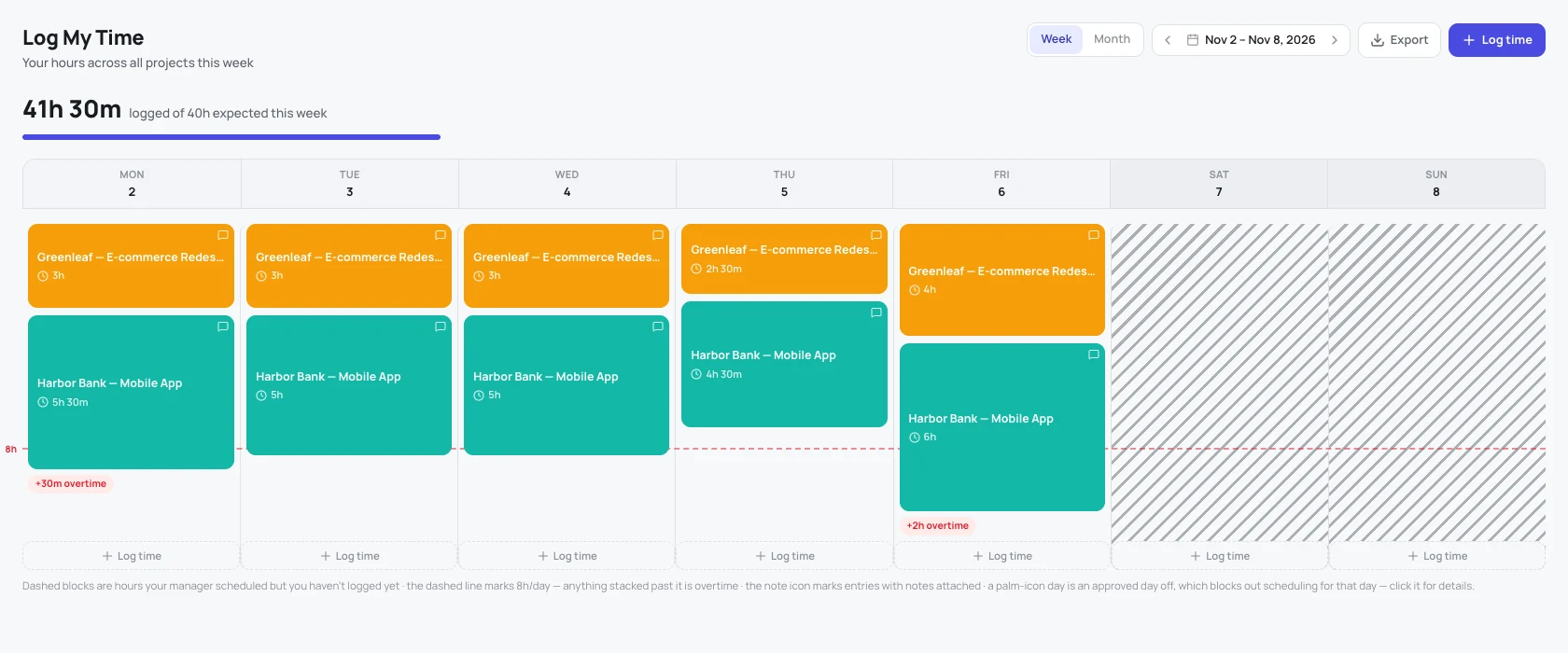
Manage people, billable hours, time off and tasks in one place. Replace five separate tools with one subscription.

Mykola Plakhotnik + you
CEO
Most teams pay for a scheduler, a time tracker, an HR system, a task app and a performance tool. Tick the ones you use and see what that stack costs next to Weekfox, at real list prices.
* USD per user per month, from each vendor's public pricing page, November 2026. Minimum: the cheapest paid plan on annual billing. Maximum: the most expensive plan with a published price, on monthly billing. Average: the midpoint of the two. Enterprise plans without a published price are not included.
Prices can change; check the vendor's site.
Every module shares the same people, projects and calendar, so nothing needs to be entered twice.
Log billable hours with a timer or manually, control budgets and lock past periods.
See time trackingVacation, sick leave, remote work and business trips. People request in two clicks, managers approve in one, balances update on their own.
See time off & requests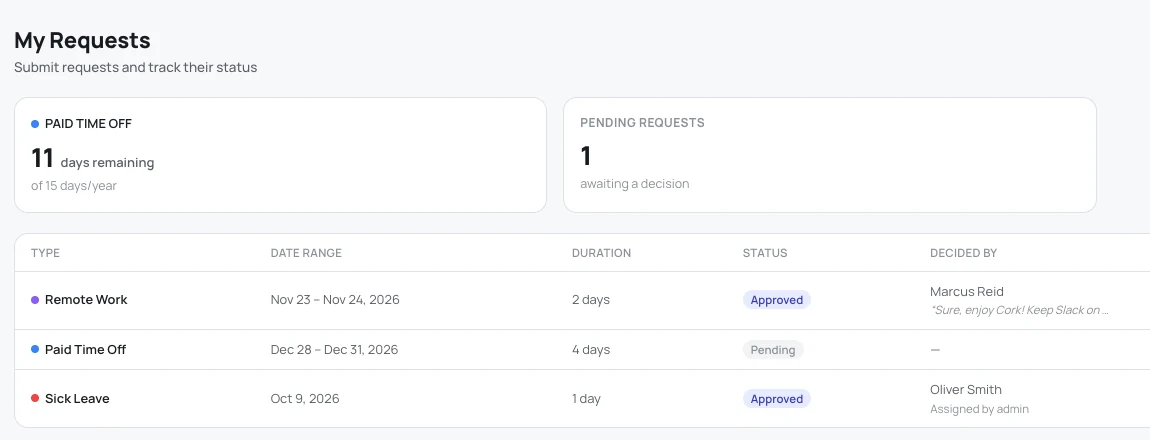
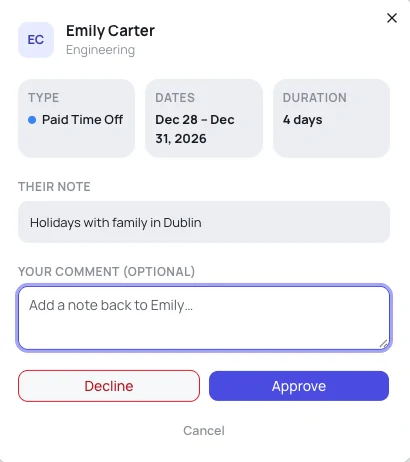
Vacations, birthdays and work anniversaries on one auto-updating calendar.
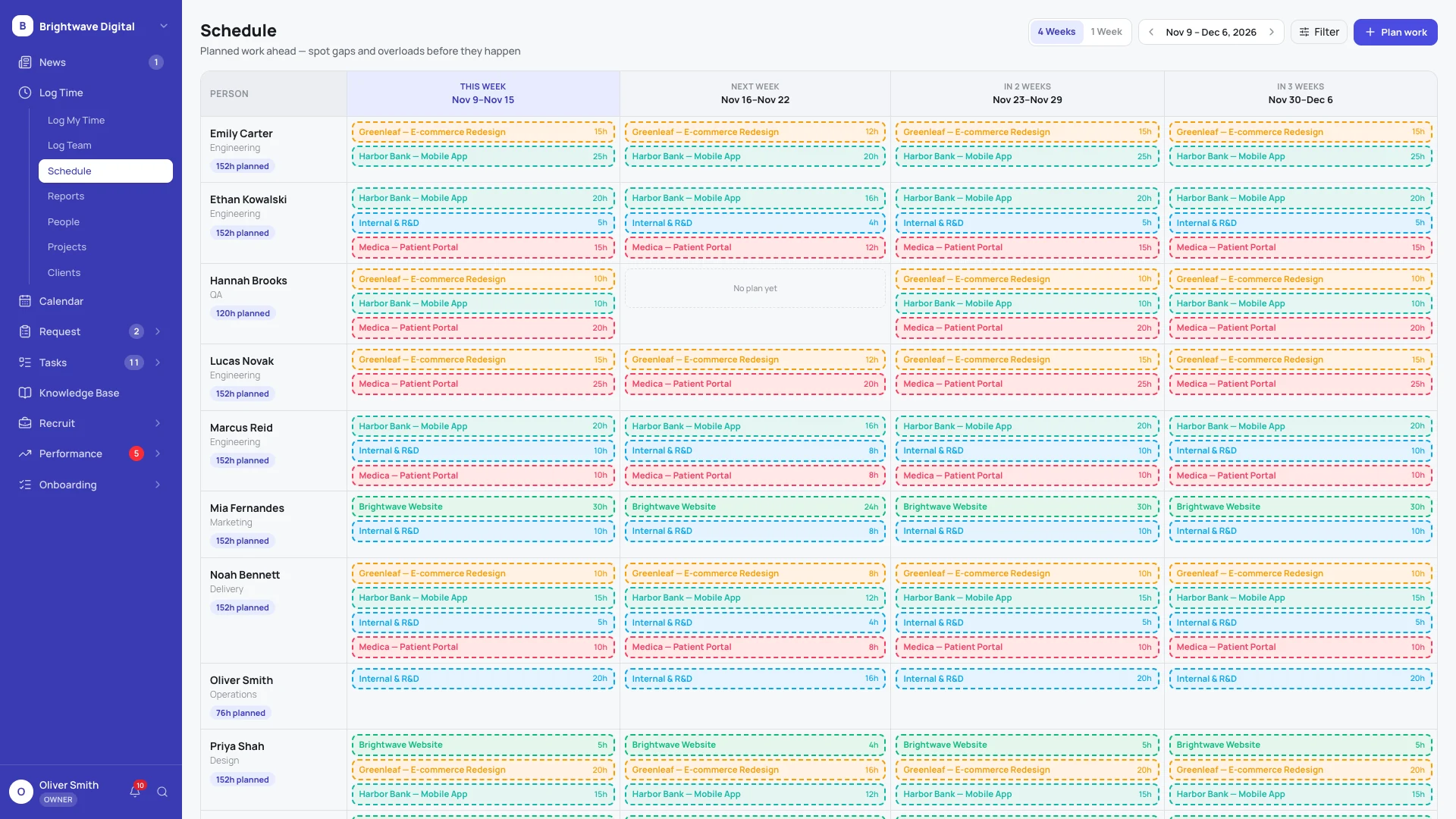
See team calendarPlan workload and compare expected and actual hours for clients or payroll.
See schedulingTasks with deadlines and built-in approval, so finished work gets reviewed.
See tasksChecklists that start automatically when someone joins or leaves.
See onboardingHiring pipeline on a board, CV parsing and one-click candidate hiring.
See recruitingUtilization metrics, 1-on-1 meetings and 360° reviews.
See performanceCompany documents, guidelines and onboarding videos in one searchable place.
See knowledge baseAnnouncements, must-read updates and polls without chat noise.
See company newsTell us how your team works. We add custom modules and integrations on request.
Owners, admins, managers and employees each see what they need, with permissions set by you.
Manage company settings, billing and access levels for every role.
Approve billing, role and policy changes requested by admins.
See utilization, billable hours and team capacity in one report.
See how growing companies use Weekfox to eliminate daily chaos, consolidate their tools, and focus on what truly matters.
Before Weekfox, we were duct-taping together a time tracker, a clunky HR system, and endless spreadsheets. Now, everything from approving time-offs to tracking billable hours happens in one perfectly synced workspace.

Sarah Milton
Chief Operating Officer at TechNova
Managing time-off requests used to be a nightmare of emails and Excel sheets. Weekfox automated everything for us. I love how an approved sick leave instantly updates the team calendar and recalculates the workload.

Marcus Chen
HR Director at Elevate Digital
We needed a tool that combined task execution with accurate time tracking without being overly complicated. Weekfox hit the sweet spot. Our team actually logs their hours now because it's so effortless, and I finally have real-time visibility.

Elena Getman
Founder & CEO at Horizon Media
People data, leave history and candidates need care. Weekfox keeps every record protected, private and in the EU.
Data processing agreement on request
Servers located in the European Union
In transit and at rest, daily backups
Each role sees only what it should
No tiers to compare and no features locked behind upgrades.
$8per user / month
Billed monthly. Cancel anytime.
Start your 1-month free trialNo credit card required for the trial.
The same features in separate tools cost $39–$78 per user / month*
Need 100+ seats or custom features?Talk to us
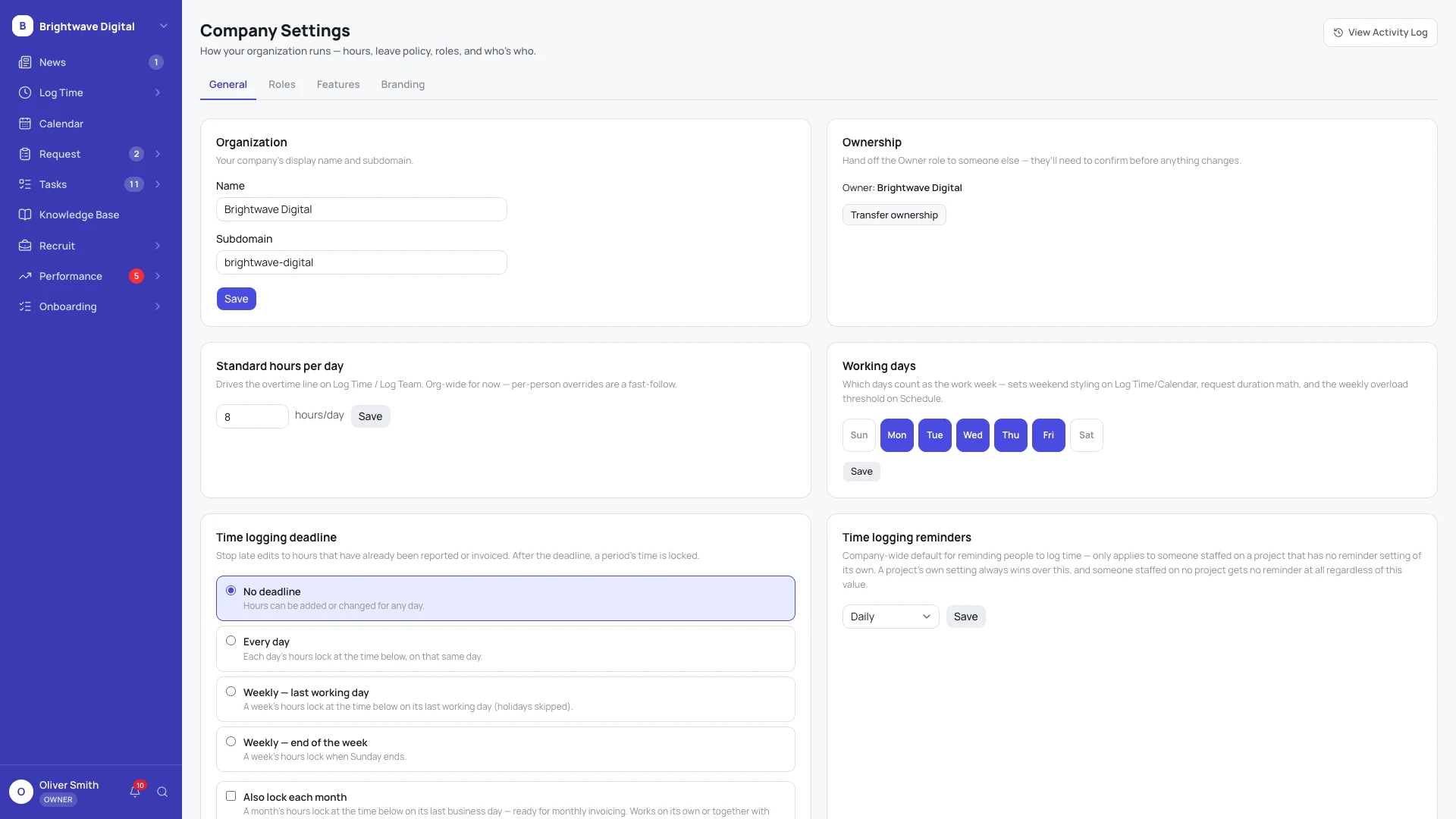
Sign up and create your company workspace. Name, subdomain and working days are all you need.
Create your company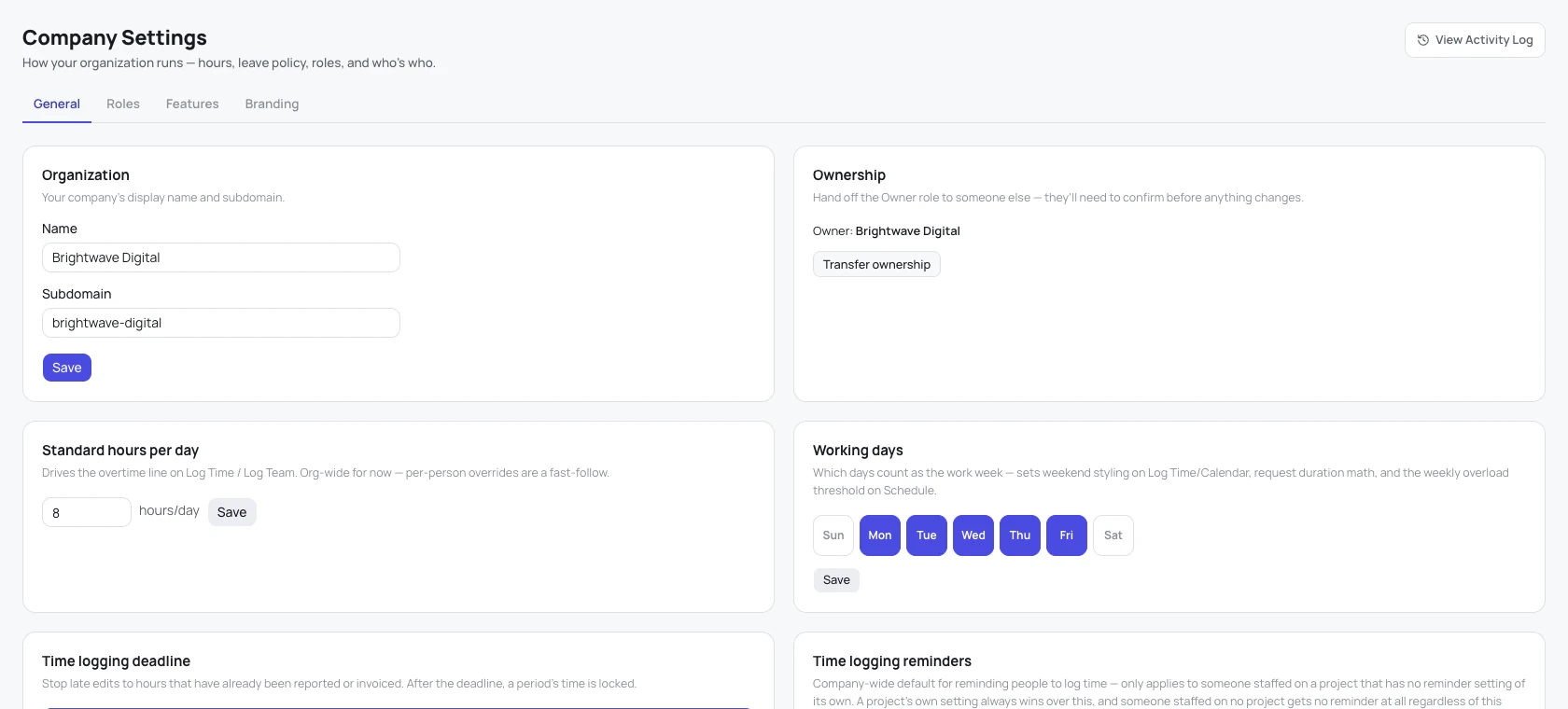
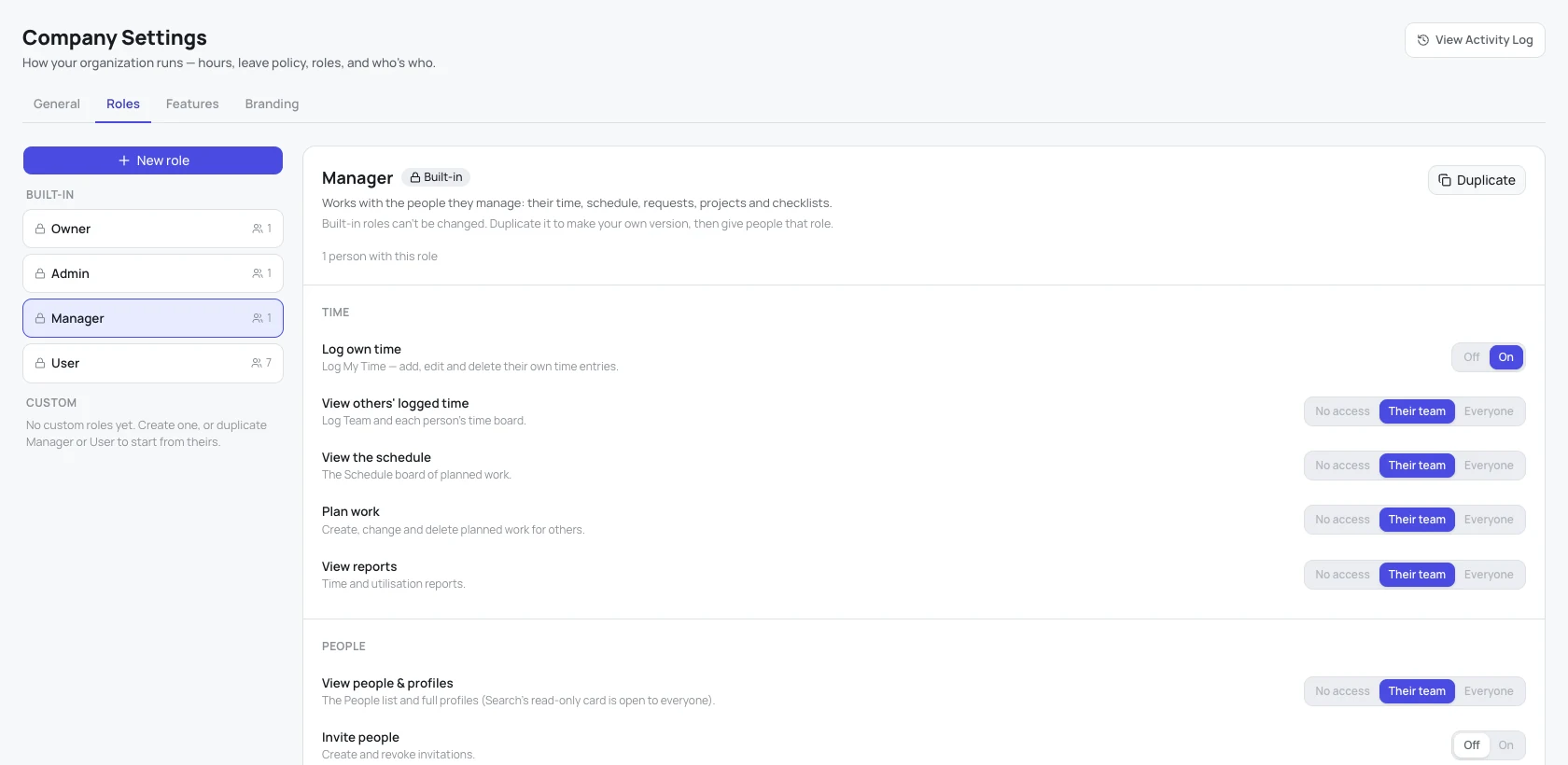
Turn on the modules you need, add leave policies and projects, and tune what each role can do.
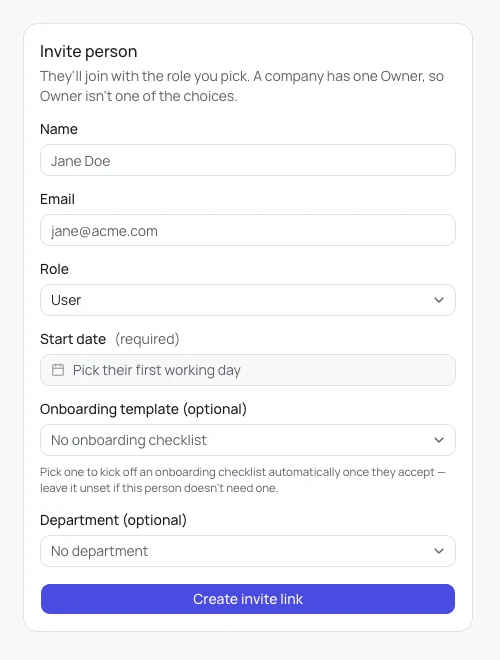
Send invites. People join with the right role, start date and onboarding checklist.
Can't find what you need? Write to us and we'll get back to you.
contact@illuminalsoftware.com
A few minutes. Create your company, invite your team, set your working days and holidays, and you’re ready to go. Employees don’t need training: everyone sees only their own sections, with no admin menus.
Set an hour limit for a project, either a total or a weekly one. The project page shows hours logged, the limit, and hours planned. Nobody can log time over the limit without approval from an Owner or Admin. Reports show billable and non-billable hours separately, and you can lock past periods so hours you’ve already invoiced can’t be changed after the fact.
Each leave type has a balance card showing “X of N left.” When an employee submits a request, the form immediately shows how many days it will use and what will remain. If there aren’t enough days, the request can’t be submitted. Employees can also take a few hours off, and only that part of the day is deducted, not a full day.
Yes. You create your own leave types: vacation, sick leave, unpaid leave, equipment requests, or anything else you need. Each type gets its own color, a limit in days or hours, yearly or monthly accrual, carry-over of unused days, and optional auto-approval. You can also set a custom yearly allowance for an individual employee.
Yes. On top of the four built-in roles (Owner, Admin, Manager, User), you can create your own. Each permission is set separately to one of four levels: none / own / team / everyone. For example, an accountant can see salaries without managing projects, and a manager sees only their own team.
Yes. HR builds onboarding and offboarding templates: tasks grouped by category, due dates relative to the start date or last day (“Day −3,” “Day 1,” “Last day”), and an owner for each task. The checklist starts automatically when a new hire accepts their invite or when a leaving employee’s last day is set. Each task goes straight to its owner, and HR can see where every employee is in the process.
Each company’s data is isolated at the database level, and every permission is checked on the server. Salaries are visible only to Owners, Admins, or a role you’ve explicitly given that permission. Important changes are recorded in the activity log: who changed what, and when.
Yes. You get job openings, a kanban board for candidates, scorecards, and interviewer feedback. A candidate profile can be filled in automatically from a CV or from text copied from a LinkedIn, Djinni, DOU, or Work.ua profile. Once you’ve decided to hire someone, one click sends them an employee invite, and their onboarding starts right away.
You set each employee’s remaining time-off balance by hand and enter a reason, and every change is saved in the history. If you have a large team or a complex migration, book a free call through “Book a call.” We’ll go through your situation and help you plan the move.
Anything about your company: team structure and roles, your time-off policy, tracking billable hours, moving off your current tools, setting up onboarding and hiring, and security questions. If your process doesn’t fit the standard settings, we’ll walk through it with you and show you how to set up the platform around it.
Start your free month today, or talk to us about your team first.
Mykola Plakhotnik + you
CEO